This guide explains how NotebookLM can support structured note-taking and knowledge workflows. Objectively, NotebookLM is discussed in the context of modern AI-assisted documentation: it helps connect ideas from your own notes, improve retrieval, and streamline drafts. The article also covers practical setup considerations, evaluation habits, and decision factors for choosing an approach to personal or team knowledge management.
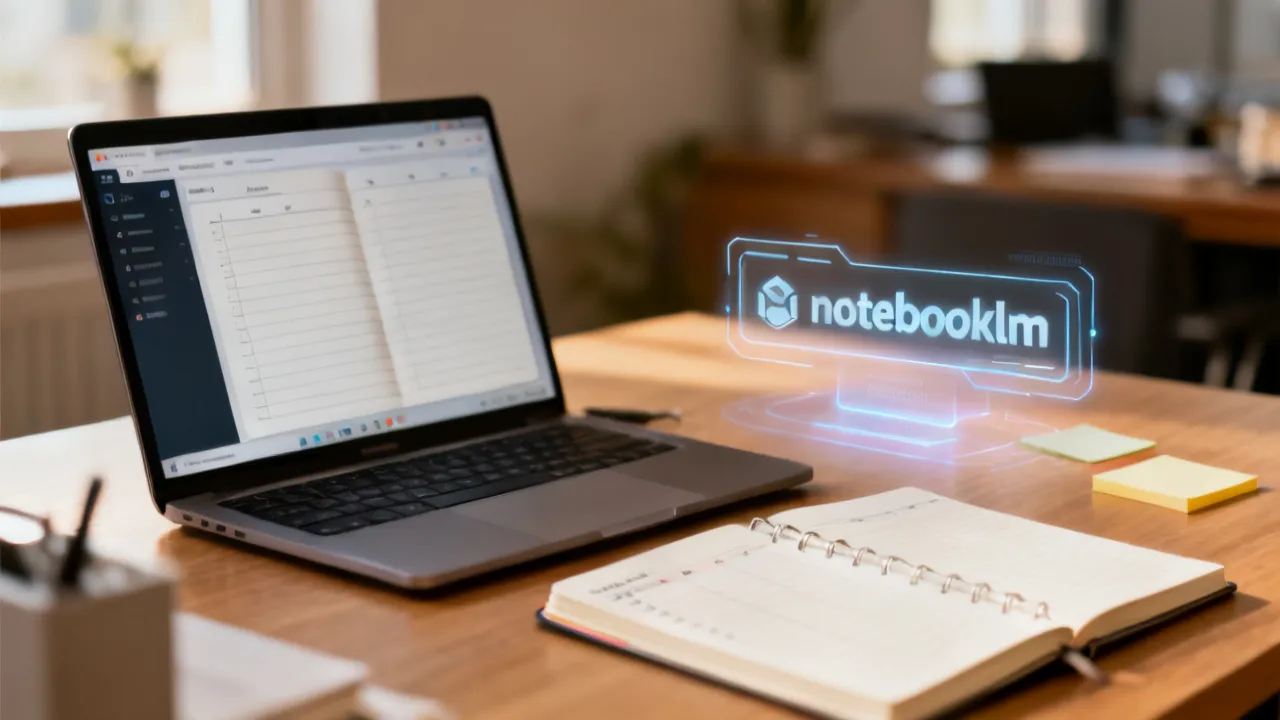
NotebookLM is increasingly discussed as a practical way to turn everyday notes into a more searchable, retrievable, and draft-friendly knowledge workflow. The promise is not simply “answers from your notes,” but the ability to reduce the distance between capturing information and using it—especially when you later need summaries, outlines, comparisons, or first drafts for professional work.
In a traditional workflow, notes are often stored as static text: you write them down, then months later you struggle to locate the right passage, or you end up rewriting the same background from scratch. A NotebookLM-style approach changes the center of gravity. Rather than treating notes as dead-end artifacts, the workflow treats them as structured inputs to downstream tasks. When your note set is organized with consistent headings, clear “searchable sentences,” and traceable sources, the system is more likely to retrieve the right context quickly. That retrieval quality then becomes a multiplier for everything that follows—summaries that reflect what you actually wrote, drafts that keep consistent constraints, and analyses that don’t silently drift away from the evidence.
For professionals, the key value is therefore “better structure” rather than “magic.” Better structure means: clearer context when you ask questions; faster recall when you start drafting; and more consistent outputs because the AI is drawing from your provided material rather than inventing a narrative out of thin air. If you already have strong subject expertise, this workflow can help you spend less energy re-locating background and more energy shaping the final argument.
It’s also important to set expectations. Any AI-assisted note workflow can be wrong. Retrieval can fail, notes can be incomplete, and generated text can contain paraphrases that subtly distort meaning. The reliable way to use NotebookLM-style systems is to treat outputs as drafts, as hypotheses, or as starting points for verification—not as authoritative facts. The practical success condition is not “trust the model,” but “build a traceable system and verify key details against your original notes or primary references.”
In objective terms, NotebookLM-style workflows aim to reduce friction between “capturing information” and “using information.” That friction is often hidden: it’s not obvious until you need the notes. By investing in coherent note sets—consistent formatting, explicit headings, stable metadata, and sources you can audit—you make retrieval easier. Once retrieval is easier, it becomes feasible to repeatedly use your knowledge base for analysis and drafting, which is where the workflow compounds in value over time.
Knowledge work routinely involves collecting information across time. You capture thoughts during meetings, record decisions and follow-ups, save research excerpts, write drafts, and maintain “working memory” in the form of notes. Yet the labor rarely ends at capture. The next labor starts later: you need to turn notes into deliverables, and you need to find the right context quickly.
This is where notebook-based knowledge systems matter. Many professionals experience the “handoff problem”: you write notes in the moment, but later you cannot remember what those notes said, where they were stored, and which notes were relevant to the question you’re answering today. Traditional methods often fragment context across multiple files, platforms, or naming conventions. Even if you’re disciplined, systems can degrade over time: documents accumulate, headings drift, tags become inconsistent, and key details get omitted when you were busy. The result is that retrieval becomes slow, and writing becomes repetitive because you end up re-researching what you already wrote.
A NotebookLM-inspired workflow typically addresses these pain points by emphasizing four pillars:
When done well, the outcome resembles information engineering: notes are treated as components in a system. The notebook is not only a storage location; it is a structured knowledge base that supports retrieval and synthesis. That systems mindset is the main difference between using AI as a “one-off generator” and using AI as a “workbench” built on your existing knowledge.
In practice, the biggest differentiators in NotebookLM-style workflows are rarely about “which model” and more often about “how you prepare the knowledge.” Experienced knowledge management consultants and solution architects typically focus on designing the notebook so that retrieval is reliable and outputs are verifiable.
That design perspective leads to concrete choices: you define a schema; you enforce consistency in headings and granularity; you write certain sentences that act as natural anchors for search and question answering; and you build a verification process so that the generated text can be trusted enough to draft, but not enough to publish without review.
Before adopting NotebookLM or any notebook-aware AI approach, define a simple schema for how you write. The point of a schema is not bureaucracy; it’s to create consistent “hooks” that the retrieval system can use. If notes have random formats, the system may struggle to locate the right context even if the content exists somewhere in the notebook.
A schema can be lightweight, but it should include a few anchor fields. For example:
This structure supports better question answering because it provides clear anchors. When you later ask, “Why did we choose X?” or “What constraints did we agree on?” the notebook entries contain explicit lines that can be retrieved and summarized. The AI is more likely to produce outputs that reflect real decisions rather than generic background.
It also helps to plan for updates. A good schema can include a “status” indicator such as “confirmed,” “tentative,” “obsolete,” or “superseded.” Knowledge bases degrade when old information remains active. A schema helps you manage that degradation proactively.
When notes are stored as semi-structured text, headings become a form of structure. You’re not required to format everything like a research paper, but heading patterns help preserve meaning.
Use short, stable headings such as:
Try to avoid mixing multiple unrelated subjects in one block. Granularity matters: a note that contains ten different topics in one long paragraph may still be correct, but it is harder for a retrieval system to locate the relevant slice. In practice, you can keep notes readable by splitting them into sections rather than creating separate files for every micro-topic.
A practical rule that often works well: each note should answer one of the following:
When you adhere to that rule, you reduce ambiguity. Ambiguity is costly because AI systems can generalize incorrectly when they encounter messy or mixed content.
For teams, granularity also helps governance. If a team member later audits the knowledge base, they can quickly verify where the “decision” section starts, where evidence begins, and what constraints were recorded. That reduces the effort required to keep the system trustworthy.
Many people write notes as personal reminders. That works well for human recall, but AI-assisted retrieval often benefits from sentences that are inherently queryable. “Searchable sentences” are not necessarily formal. They are simply explicit and unambiguous.
Examples of searchable sentences include:
These lines function like retrieval anchors. Later, when you ask the notebook, “What did we decide and why?” the retrieval system can locate the “Decision” sentence and the associated evidence. Without such sentences, the system may find relevant phrases but still generate a response that is too generic to be useful.
Another helpful approach is to include short “definition-style” lines when you introduce concepts. For example: “Definition: ‘Operational risk’ means…” or “Terminology: By ‘baseline’ we mean…” This makes the notebook more resilient when you return to it later and when the system tries to unify different notes.
Finally, consider writing in a way that avoids overwriting context. If a meeting notes document says “We decided X” but later edits change “X” to “X2” without a clear “superseded by” note, both humans and AI may struggle. Add an explicit “superseded” section or a line like “Update: After stakeholder review (date), X was replaced by X2 because…”
Expert workflows treat AI outputs as hypotheses or drafts. Verification can be lightweight, but it must be systematic for the most important claims. The calibration is about deciding which parts of the output require higher confidence and which parts can be treated as exploratory.
Common verification steps include:
Some teams implement a “two-pass” workflow: first, use AI to generate an outline or summary; second, verify each critical assertion against the underlying notes and correct as needed. This approach aligns with established best practices in knowledge governance: it reduces the risk of “unreviewed synthesis” where plausible-sounding text becomes inaccurate.
It can also be useful to maintain a “fact severity” scale. For example:
Then use verification effort proportional to severity. This helps you avoid wasting time checking trivial statements while still protecting the parts that matter most.
NotebookLM-style workflows can support a range of knowledge tasks, from turning meeting notes into action summaries to helping analysts retrieve evidence for reports. Below are common, realistic use cases described in objective terms, without overstating performance.
The key to each use case is not only “what the AI can produce,” but also “what inputs it reliably needs” and “what verification you perform afterward.” When these are designed well, the system reduces friction in professional workflows.
Teams often collect meeting notes across calendars, chat channels, and documents. Those notes exist in pieces, and action items can be scattered across different sections. With a structured notebook workflow, you can convert scattered notes into:
The value depends on whether meeting notes include explicit owners, dates, and outcomes. If your meeting notes contain only free-form brainstorming, the system may produce generic summaries. If they include “Action item,” “Owner,” and “Due date” fields (or consistent headings), outputs become far more usable.
For team adoption, consider a meeting note template. Even a simple template that encourages people to fill in decision and action fields can transform the notebook into a reliable knowledge base for future summarization and follow-up.
For analysts, consultants, and proposal writers, the biggest time sink is often finding “the right paragraph” later. It’s not always that people lack information; it’s that the information is not easily retrievable when drafting begins.
A notebook approach can help retrieve relevant evidence quickly, enabling more consistent outlines and draft sections. For instance, you can ask questions like “What evidence do we have about X?” and “What constraints were documented in stakeholder interviews?” then use the retrieved note sections to draft a coherent section of a report.
Still, you should validate key citations. AI can summarize accurately, but it can also omit important qualifiers. Ensure that any summarized claim matches the original note or source text. If you store research notes with their provenance (which report, which page, which date accessed), you make verification easier and reduce the chance of misattributing evidence.
Another practical consideration: proposals often require consistency in terminology. Notebook workflows can maintain terminology consistency if your notes include a glossary or style conventions. For example: “We define ‘engagement’ as…” and “By ‘pilot’ we mean…” This avoids subtle mismatches across sections.
Individuals can maintain a knowledge library of tutorials, books, course notes, and experiments. NotebookLM-style workflows can then support:
Quality depends on how well notes were captured. If personal notes are vague (“Read chapter 3—interesting!”), there’s little to retrieve. If notes include definitions, examples, and “why it matters” reflections, the system can synthesize those into study guides more effectively.
For self-improvement workflows, consider adding “mistakes” or “misconceptions” sections. These can later be turned into targeted practice questions. For example: “Misconception: I thought X worked like Y; actually Z because…” This turns your learning journal into a high-signal resource.
Organizations frequently have writing standards: tone, formatting, mandatory disclaimers, naming conventions, and compliance language. If you store internal style guidance in your notebook system, AI-assisted drafting can align outputs with existing conventions.
However, alignment depends on how you store guidance. You need clear sections and examples. For example, store policy text in a “Constraints” heading and include “Allowed phrasing” and “Disallowed phrasing” examples. Then, when drafting, you can retrieve the relevant policy sections and ensure that the output uses correct language.
This approach is particularly useful for repeatable deliverables like incident reports, customer communications, or internal memos. The system can draft text quickly, while you verify that the constraints are correctly applied.
In high-stakes environments, you may implement a “policy gate”: an output can only be considered complete when it includes required policy snippets or when key compliance lines are explicitly verified. This reduces the risk of an AI drafting something that sounds correct but violates policy wording.
You asked for price information and supplier details to be integrated into the narrative. However, no specific price, supplier name, or location-specific vendor data was provided in the prompt. To keep this article objective and decision-useful (and avoid inventing unverified numbers), this section focuses on how to assess cost and supplier fit without claiming precise pricing.
In other words: treat this section as a framework you can apply to whatever provider(s) you are evaluating. You can map the framework onto actual quotes later.
Notebook-oriented AI tools often price access using one or more of these methods:
To compare pricing fairly, look beyond the headline plan and estimate the total cost of ownership. Total cost of ownership includes:
It can also help to ask providers how usage scales with real workloads. For example: “If we add 20,000 notes, does cost increase only with query volume or also with ingestion?” Even if you don’t get exact numbers, providers’ answers can reveal the cost structure.
Another practical evaluation step is to perform a pilot with a realistic subset of your notes. This reveals performance and usage patterns that generic pricing calculators often miss.
When selecting a supplier for a notebook-aware knowledge workflow, ask how they handle the operational and governance issues that matter to professionals—especially security, data handling, and auditability.
A due diligence checklist might include:
Additionally, request clear documentation rather than relying on marketing summaries. In practice, written policies and contractual terms matter more than feature lists.
If you’re in a regulated environment, ask about:
Finally, consider whether the supplier can support a human-in-the-loop verification workflow. Even a well-designed system can produce incorrect drafts; what you want is a supplier that supports governance patterns: traceability, audit logs, and permission controls.
The prompt included placeholder location instructions. Since no concrete city or country was provided, this article treats localization as a general principle and uses “nearby” only as a concept rather than a specific geography. In practice, local adaptation can mean choosing note conventions that match common workplace styles, respecting regional compliance expectations, and aligning writing norms with how teams communicate.
Localization matters because workflows are sociotechnical: they depend on how people write, label, and structure information. A notebook system can be technically effective but still fail if users in a local team consistently write in a different style than the schema expects.
Some localization examples (conceptual, not tied to a specific country):
In short: align the notebook schema with local workplace communication habits, then keep the schema consistent so retrieval remains reliable over time.
Below is a supplemental set of criteria presented as a comparison table, followed by a step-by-step guide. As requested, there are no links in the table. Use this table as a decision support artifact to clarify what changes when you adopt a NotebookLM-style workflow.
| Aspect | NotebookLM-style workflow | Manual-only note-taking | Hybrid (notebook + human review) |
|---|---|---|---|
| Primary goal | Reusable, retrievable knowledge for drafting/synthesis | Personal or team memory capture | Faster reuse with quality gates |
| Top for | Structured knowledge retrieval and draft generation | Low-frequency reference and simple summaries | Critical writing and team deliverables |
| Key requirement | Consistent note schema, headings, and searchable sentences | Discipline in naming and organizing documents | Defined review checklist and ownership for verification |
| Risk profile | Draft errors if notes are incomplete or verification is skipped | Slow retrieval and “lost context” over time | Residual AI risk reduced via human checks |
| Operational cost | Tool subscription/usage + time for setup conventions | Primarily time for organization | Tool + review time (often justified for high-stakes work) |
| Success metric (practical) | Reduced time to locate evidence and improved drafting consistency | Personal satisfaction and retrieval success rate | Higher accuracy in deliverables and faster turnaround |
To ground this discussion in established, verifiable practices, the following are broadly relevant sources categories (without providing unverified claims). For deeper reading, consult official documentation from model/tool providers and governance guidance from recognized research bodies and standards organizations:
Note: This article intentionally avoids specific performance numbers or proprietary benchmarks because no validated benchmark values were provided in the prompt.
NotebookLM is commonly referenced as a notebook-aware AI approach that helps transform structured personal or organizational notes into outputs such as summaries, outlines, and draft text—grounded in the content you provide. The practical impact depends heavily on how you format and organize your notes, and on how you verify results.
In practical terms, you can think of the system as a workflow layer: your note format and quality determine what context is retrievable, and retrieval quality determines whether the generated output is useful. The AI then acts as a drafting and synthesis accelerator rather than a replacement for judgment.
Run retrieval tests using real questions you frequently ask. If you consistently get the right sections and the context is clear (dates, constraints, evidence), your notes are likely retrieval-ready. If answers feel generic or miss critical details, revise headings, add searchable sentences, and ensure the evidence is present in the note set.
A useful diagnostic is to compare the AI response to the notes that were retrieved. If the AI “sounds right” but the retrieved notes lack key evidence, you may be missing searchable anchors in your notes or your schema may be too ambiguous.
It can reduce friction in drafting and synthesis, but it should not replace research verification. Treat AI outputs as drafts or candidates for review. For factual or regulatory content, verify against primary sources and the exact note entries used for synthesis.
In professional settings, the research process includes verifying provenance, checking assumptions, and ensuring that claims match sources. NotebookLM can help locate and structure existing research notes, but it cannot substitute for authoritative validation.
Typical issues include incomplete note ingestion, inconsistent headings, missing metadata, mixing multiple topics in one section, and skipping verification. In teams, another failure mode is unclear ownership—meaning no one corrects outdated entries.
Another subtle failure mode is “schema drift.” People may start adding new note styles that gradually diverge from your original conventions. Retrieval then becomes less reliable. Prevent schema drift by providing templates, short examples, and periodic refresh training.
Adopt access controls, define retention expectations, and maintain an approval workflow for high-stakes outputs. Ensure users understand what should (and should not) be stored in the notebook and how drafts should be reviewed before publication.
Governance also includes defining what “confidential” means in your organization, where that data can be processed, and what audit requirements apply. Make these expectations explicit and easy to follow.
There isn’t one universal format. However, stable headings, clear evidence sections, and explicit decision logs are generally effective. The top format is one your team can maintain consistently over time.
In practice, the best note format is the one that balances structure with speed. If the format is too complex, it won’t be followed when people are busy, and retrieval performance will suffer.
Track practical outcomes like time-to-find evidence, draft turnaround time, and accuracy rates after review. These metrics are more reliable than subjective “feels smarter” impressions, especially in professional environments.
You can also measure “retrieval success rate” by running standardized questions and scoring whether the correct note sections appear. That provides an objective signal for whether your schema improvements are working.
Stop and verify. Locate the relevant note sections, identify which content was used (or should have been used), and then correct either the notes (if incomplete) or the retrieval assumptions (if the schema is unclear). Update the note-writing conventions so the next run is less ambiguous.
Don’t just correct the output—treat contradictions as signals. Contradictions often reveal missing evidence, unclear headings, or inconsistent terminology. Those are fixable problems.
Follow your organization’s security policies. In many organizations, sensitive data should be stored and processed within approved systems with appropriate access controls and contractual assurances from the supplier.
Operationally, you can implement rules such as: only store redacted notes; separate confidential content into restricted workspaces; and require approval for high-sensitivity ingestion. The goal is not just compliance—it’s also risk reduction.
Yes, in practical ways. Teams may write and label notes differently based on local workplace norms. Localization can also affect how policies are documented and how people phrase decisions. To adapt, align your note schema and headings with how your local team actually works—then keep the schema consistent.
If you work in multilingual environments, consider a strategy for language consistency in headings or mapping terms across languages. Otherwise, retrieval quality can be impaired because the system may treat equivalent terms as unrelated.
If you’re deciding whether to invest time in NotebookLM-style workflows, the expert answer is to prioritize prerequisites that improve reliability. The reason is simple: AI outputs are only as good as the structured knowledge you feed it.
This sequence reduces disappointment because it addresses the root cause of many failures: weak or inconsistent inputs. People often try to fix retrieval issues by changing prompts or switching tools. But if your notes are messy, switching the AI won’t fix the underlying problem. The faster path to value is to make the knowledge base more retrieval-ready.
In addition, consider incremental rollout. Start with a single team, a single type of deliverable (e.g., meeting summary drafts), and a limited note subset. Once you demonstrate consistent retrieval quality and verification success, expand to broader knowledge categories.
Finally, build a learning loop. Treat every contradictory output, every “missed context” retrieval, and every template confusion as an input to refine your schema and templates. Over time, the notebook becomes easier to use and more reliable—because your workflow evolves with your real usage patterns.
NotebookLM-style knowledge workflows can meaningfully improve the way professionals reuse notes for synthesis and drafting, but the gains depend on disciplined preparation. When you structure your notes for retrieval, maintain evidence-based entries, and verify key details, you create a system that supports faster writing and clearer thinking.
The central idea is to treat AI output as a draft grounded in your own materials. That mindset turns the notebook into a trustworthy workbench: it accelerates synthesis without replacing judgment. If you invest in schema consistency, searchable sentences, and verification practices, the notebook system will outperform raw tooling because it produces repeatable, auditable reuse of your knowledge.
Ultimately, the most effective professional implementations aren’t the ones with the most automation—they’re the ones with the best system design. A disciplined notebook system reduces the friction between capture and reuse, improves retrieval reliability, and helps you deliver accurate drafts faster, with human oversight where it matters most.
Striking the Perfect Balance: Navigating Premiums and Out-of-Pocket Expenses in Senior Insurance Plans

Explore the Tranquil Bliss of Idyllic Rural Retreats

How to Make Lasting Memories at Disneyland Attractions

4rkojvsx Technology: Industry Insights and Buying Guide

Affordable Phones and Plans for Seniors

Affordable Full Mouth Dental Implants Near You

Unlock the Top Kept Secrets to Finding Your Ideal Dentist for Flawless Dental Implant Results!

Discovering Springdale Estates

Unveiling RS Sul Telecom Services

Unveiling RS Sul Telecom Services
RS Sul Telecom emerges as a prominent entity in the telecommunications industry, providing reliable services across various regions. This article delves into the offerings of RS Sul Telecom, the benefits it presents to both individual and business clients, and its impact on the modern telecom landscape.

Understanding Rlock Advpl in Business
Rlock Advpl represents a pivotal advancement in business software solutions, offering enhanced security and efficiency for enterprise resource planning systems. This article delves into the intricacies of Rlock Advpl, its application in modern businesses, and the benefits it offers in streamlining operations and safeguarding data. As an expert tool, Rlock Advpl is essential for businesses looking to optimize their IT infrastructure.

Unveiling Atranet Innovation
Atranet represents a cutting-edge concept in networking technology. Harnessing its capabilities can transform digital communication by providing seamless connectivity. Designed to optimize data transfer, security, and efficiency, Atranet is shaping the future of how we connect and share information. This article delves into its structure, applications, and potential impacts on industry practices and consumer experiences.

Understanding Polysulfide Adhesive Applications
This comprehensive guide explores the applications and benefits of polysulfide adhesive, highlighting its unique properties and widespread use in construction, aerospace, and automotive industries. Known for its flexibility and resistance to various environmental factors, polysulfide adhesive is a key component in sealing and bonding applications, providing durability and reliability in demanding conditions.
Comparing Vtex with Salesforce Commerce
This article provides an in-depth comparison between Vtex and Salesforce Commerce, two leading digital commerce platforms. Each offers unique features suited to different business needs. Vtex is renowned for its collaborative commerce approach, while Salesforce Commerce shines with its comprehensive customer relationship management capabilities. Explore their differences, strengths, and insights from industry experts.

Understanding the Latest Chrome Version
This article delves into the intricacies and features of the latest Chrome version. Chrome, developed by Google, is one of the very popular web browsers globally, known for its speed, simplicity, and security features. Each update aims to enhance user experience through improved functionality and performance. Understanding these updates is crucial for both everyday users and developers.
