This guide explains how NotebookLM can transform everyday note-taking into a structured knowledge workflow. It reviews what NotebookLM is at a practical level, why “notebook” thinking matters for research, and how to align capture, retrieval, and review habits. The background covers common use cases, core limitations, and responsible ways to keep outputs grounded and useful.
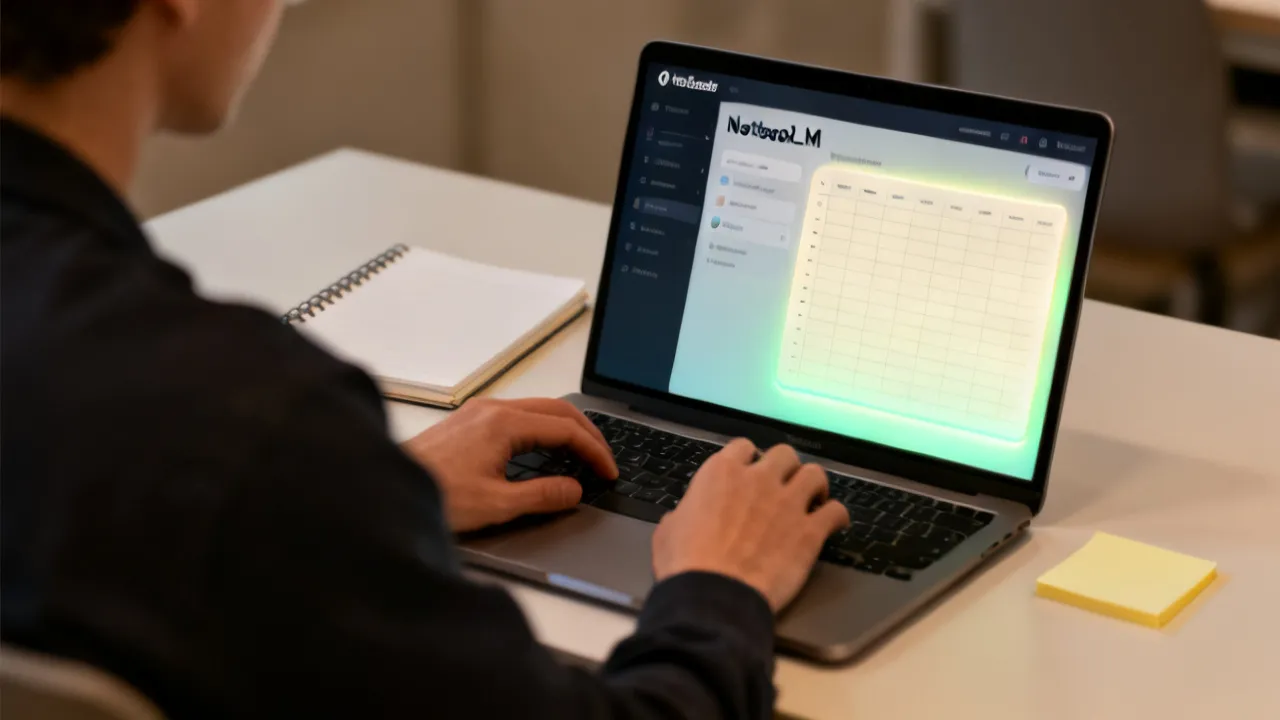
NotebookLM helps you turn scattered highlights, readings, and draft ideas into a more searchable, coherent knowledge set—so your notes stop being “storage” and start functioning as a learning and research partner. Instead of treating notes as isolated pages, you can organize them into a system designed for recall, synthesis, and iterative improvement. From studying for exams to preparing client-facing briefs, a well-run NotebookLM workflow supports consistency: capture what matters, connect it logically, and revisit it when decisions need clarity.
At an expert level, the real value is not the novelty of “AI + notes,” but the discipline it encourages: you standardize how information enters your notebook, how you ask questions of your materials, and how you validate what the system produces. That is where outcomes improve—especially for good projects that accumulate sources over time. When you combine tool-assisted retrieval with strong personal information hygiene, you get a compounding advantage: earlier work becomes easier to reuse, later work becomes easier to verify, and the boundary between “collecting information” and “making decisions” becomes far thinner.
Many professionals and students already have a note-taking habit, but the habit is often misaligned with how knowledge work actually progresses. Knowledge work typically requires you to: (1) interpret and evaluate information, (2) decide what to do next, and (3) produce a deliverable that can be defended. A passive notebook doesn’t strongly support these steps. It may store text, but it doesn’t consistently preserve the structure required for fast recall or reliable synthesis. NotebookLM-oriented workflows make your notebook behave more like a research workspace: you don’t just save information—you curate it so it can be retrieved with intent.
That change has practical implications for everyday behavior. You start asking different questions while you capture notes. You start using consistent headings, short “why this matters” reflections, and traceable summaries. You stop relying on your memory to reconstruct context later. Instead, you design the notebook so the context is present when you need it. The tool then becomes the engine for retrieval and first-pass synthesis, while you become the editor, verifier, and final decision-maker.
In other words, NotebookLM belongs in your daily workflow not because it does the thinking for you, but because it supports a daily loop: capture → clarify → connect → query → draft → verify. Over time, the loop trains you to behave like a research professional: structured, explicit, evidence-grounded, and iterative.
Very knowledge work fails at the same bottleneck: you collect information but don’t reliably retrieve and integrate it later. NotebookLM-oriented workflows address that gap by treating your notebook as a living workspace. In practice, this usually means:
For professionals and students alike, this approach reduces “time-to-understanding.” You spend less effort searching for fragments and more effort producing a dependable output—whether that’s a report, a study plan, or a set of talking points. But the real advantage is that you improve the reliability of what you produce. When notes are structured for retrieval, you can check assumptions faster. When synthesis is linked to note evidence, you can correct errors without starting over.
To understand why this works, it helps to think about knowledge as two layers:
Many note systems blur these layers. They often store evidence as raw or unstructured snippets and then mix interpretation into the same field as if it were equally “source-like.” NotebookLM workflows encourage you to keep the evidence layer organized and traceable. Interpretation then becomes a function of evidence retrieval plus your judgment. You end up with an audit trail: which part of the notebook supports which part of your output.
In practical terms, you can structure your daily work so that every capture includes enough context to answer future retrieval questions. For instance, instead of just storing a quote from a paper, you capture:
That transforms your notes from “memory scaffolding” into “retrieval infrastructure.” Then NotebookLM can do what it’s good at: pulling relevant sections forward when you ask for them. Your role becomes less about searching and more about verifying, editing, and making conceptual connections that aren’t explicitly present in any single excerpt.
Finally, the “synthesis” step matters most when you treat it as iterative. Drafts are not final deliverables; drafts are working artifacts. The faster you can draft, the faster you can verify, and the faster you can correct. When verification is built into the workflow instead of appended later, quality increases rather than decreasing under time pressure.
NotebookLM is commonly used as a notebook-centered assistance layer for handling textual materials. Typical use cases include:
Those examples are broad, but they share a common pattern: you already have textual content and you want faster transformation into an output that is coherent, structured, and anchored to your materials. NotebookLM’s strength is not “creating facts out of nothing”; it’s accelerating the workflow of transforming what you already captured into an organized, queryable form.
Below are additional practical scenarios where a NotebookLM-style approach tends to perform especially well.
In each of these use cases, the notebook becomes the “source memory,” while NotebookLM becomes the “retrieval and drafting accelerator.” That separation of roles is essential for reliability.
It’s important to keep expectations grounded. A notebook workflow can significantly improve how you work with information, but it does not replace the need for human judgment, especially when accuracy matters. The system’s outputs should be treated as drafts or interpretations that you verify against the underlying material you provided. In high-stakes contexts, the best practice is to design your notes so that verification is fast—so you can check evidence without reopening multiple documents from scratch.
To use NotebookLM effectively, the inputs and your working habits matter more than the tool itself. When teams see inconsistent outcomes, the causes are usually found in the notebook design rather than the interface.
Consider these conditions and requirements:
To deepen this further, reliability tends to improve when you treat your notebook like a structured dataset instead of a folder of text. You don’t necessarily need a complex database, but you do need predictable patterns.
Here are additional requirements that often make a noticeable difference:
Another key reliability factor is prompt specificity. NotebookLM can produce more coherent answers when your questions are bounded. If you ask “What should I know about marketing strategy?” you’re likely to get a general overview. If you ask “Using my notes under ‘Pricing Experiments’ and ‘Channel Attribution,’ propose an experimental plan with success metrics and risks,” you get something more aligned to your deliverable.
Finally, verification is not merely a safety step; it is a quality step that improves future performance. When you find errors, you update the notebook. That feedback loop turns the workflow into a progressively more accurate system over time.
Below is a practical guide you can apply to very knowledge tasks. The goal is to create a workflow that is repeatable and auditable—so your outputs remain consistent over time.
| Stage | What to Do in a NotebookLM-Style System | Key Condition | What to Watch For |
|---|---|---|---|
| 1. Capture | Collect notes, excerpts, and your reflections; label each entry with a topic heading. | Clarity beats volume. | Copying text without context reduces later usefulness. |
| 2. Normalize | Convert messy notes into structured bullets, short summaries, or decision points. | Use consistent headings. | Multiple formats for the same idea create retrieval confusion. |
| 3. Connect | Link related notes by adding “cross-references” in plain text (e.g., “see also: policy X”). | Make relationships explicit. | Assuming the system will infer hidden links can lead to weak synthesis. |
| 4. Query | Ask narrowly scoped questions aligned with your deliverable (summary, comparison, draft outline). | Specific prompts outperform vague ones. | Overly broad questions produce generic answers. |
| 5. Draft | Use the retrieved material to form an outline, a structured narrative, or a decision checklist. | Drafts are meant to be edited. | Publishing without verification undermines trustworthiness. |
| 6. Verify | Return to source notes to confirm key claims and refine wording to match evidence. | Validation is a required step. | Accepting the output as “final” without checking is risky. |
| 7. Iterate | Update the notebook with corrections, improved summaries, and new insights from follow-up work. | Keep the notebook current. | Stale notes create stale outputs. |
To make this workflow truly expert-grade, you can add “micro-standards” to each stage. Think of these as rules of thumb that prevent avoidable friction.
Stage 1: Capture (Micro-standards)
Stage 2: Normalize (Micro-standards)
Stage 3: Connect (Micro-standards)
Stage 4: Query (Micro-standards)
Stage 5: Draft (Micro-standards)
Stage 6: Verify (Micro-standards)
Stage 7: Iterate (Micro-standards)
When you follow these micro-standards, the workflow becomes robust even when the content is complex or the project spans weeks or months.
To clarify what changes with NotebookLM workflows, here is a conceptual comparison. (This is not a pricing comparison—prices depend on accounts and policies that can vary over time.)
| Aspect | Ad-hoc Notes | NotebookLM-Style Notes |
|---|---|---|
| Entry format | Often unstructured snippets | Headings, summaries, and context |
| Searchability | Manual scrolling and memory-based retrieval | Retrieval supports targeted questioning |
| Integration | Summaries are written late | Relationships are built earlier |
| Output quality | Depends heavily on the writer at drafting time | Depends on input discipline plus verification |
| Good value | Declines as notes accumulate | Can increase as summaries and links grow |
That comparison understates one of the biggest differences: ad-hoc notes often produce “retrieval anxiety.” When you need an answer later, you can’t reliably locate it, so you end up rewriting from scratch or trusting memory. NotebookLM-style notes reduce that anxiety by making retrieval predictable. You can ask targeted questions without needing to remember exactly where in your notes something lives.
Another difference is the quality of integration. Ad-hoc notes may contain enough information to eventually reconstruct a narrative, but they rarely contain the “connective tissue” required for synthesis. NotebookLM-style notes add that connective tissue via normalized bullet summaries and explicit cross-references. Synthesis then becomes a transformation of a structured representation, not a guess based on scattered fragments.
Finally, output quality differences matter because they influence trust. When you repeatedly verify that NotebookLM outputs match your evidence, you build confidence. When you skip verification, your trust erodes because errors feel random. In robust workflows, verification becomes routine and therefore manageable.
In knowledge-intensive environments—consulting, engineering, legal analysis, academia—work quality depends on how reliably teams can reuse prior knowledge. Research and top-practice guidance across information science emphasize that retrieval and synthesis improve when information is structured and when sources remain traceable.
Two widely recognized principles often apply:
For factual claims and performance expectations, it’s wise to rely on credible sources such as peer-reviewed research, standards bodies, or reputable industry reporting. When teams evaluate AI-enabled note tools, they typically focus on workflow efficiency, error rates under verification, and user satisfaction—not on “magic accuracy.”
Reference guidance (general): For background on trustworthy information practices and evaluation, organizations such as NIST publish documentation on AI risk management and evaluation methods. For human-centered learning and information use, cognitive science research supports the idea that structure and retrieval cues improve learning outcomes. (You can adapt these principles to evaluate your own NotebookLM workflow.)
From an industry perspective, note systems are not just personal productivity devices. They are continuity mechanisms. In teams, the cost of losing knowledge or re-learning solutions is high: onboarding time increases, errors repeat, and decision-making slows. Even for solo operators, the principle holds: your future self is your “team,” and your memory is a limited retention system. A well-run notebook becomes a proxy for organizational memory.
This is especially true in environments where your work depends on consistency—such as when you produce recurring deliverables. A recurring deliverable might be:
If your note system is designed for retrieval and synthesis, those recurring deliverables become faster and more reliable because your notebook can generate “draftable structure” from prior context. If your note system is ad-hoc, each recurrence becomes a mini-startup: you re-collect context, re-interpret sources, and re-build structure.
NotebookLM’s practical value, then, is often best understood as a bridge between knowledge capture and knowledge reuse. The tool accelerates the bridge, but the structure you provide determines whether the bridge holds.
In practical terms, NotebookLM is a notebook-centered way to help you work with your textual notes: organizing them for recall, assisting with drafting and synthesis, and supporting question-based review. The exact capabilities depend on your setup and the materials you provide.
At a practical workflow level, you can think of NotebookLM as doing three jobs: it helps you retrieve relevant sections, it helps you transform retrieved content into a structure (outline, comparison, draft), and it helps you iterate by allowing quick re-queries after you update notes. In reliable use, you control the evidence and verification; the tool accelerates intermediate steps.
No. A responsible workflow treats NotebookLM output as a draft or interpretation. You should verify important statements by checking the underlying notebook entries and original sources where necessary—especially for technical, legal, medical, or financial content.
One useful way to internalize this is to adopt an “evidence-first” mindset. If a statement is important, it must be supported by a specific note entry. NotebookLM can help find that entry, but it should not be the final source of truth. When you treat your notebook as the source layer and NotebookLM as the synthesis layer, you maintain intellectual integrity and reduce the risk of compounding errors.
Notes that include context—why something matters, how it connects to your topic, and how it was obtained—tend to produce better results. Clear headings and concise summaries also improve later retrieval and synthesis.
In addition, notes that are structured for questions tend to work best. For example, if you expect to ask “what are limitations,” then you should store limitations under a consistent “Limitations” heading rather than burying them inside a paragraph of extracted text. Similarly, if you expect to ask “compare X vs Y,” store features and tradeoffs in separate bullets so comparison output becomes straightforward to draft and verify.
Use goal-oriented, specific prompts. For example: “Using my notes under ‘Method A’ and ‘Limitations,’ produce a short comparison table and list the evidence I cited for each claim.” Then verify each key point against the relevant note sections.
More broadly, strong prompts usually contain four elements:
When these elements are present, the tool’s output aligns better with your workflow and verification can be fast.
Common issues include uploading large amounts of unstructured text without headings, failing to add context to excerpts, asking broad questions, and skipping verification steps. Another frequent mistake is treating the notebook as a one-time repository rather than an evolving system.
Other mistakes that commonly appear in practice include:
These are fixable through workflow design: normalize notes, add context, enforce headings, and make verification non-optional for high-impact claims.
Turn readings into concept summaries, then ask targeted review questions. After you generate a study guide, cross-check key facts against your original notes. Over time, add your misunderstandings and corrections back into the notebook to strengthen retrieval for future review sessions.
To make studying more systematic, you can implement a “study loop” with explicit artifacts:
This creates a compounding improvement cycle: as you study, you update the notebook so future retrieval reflects what you actually learned, not just what the original text said.
Yes. Any system that processes personal or confidential content requires careful handling. Follow your organization’s policies, review the tool’s documentation and access controls, and avoid including sensitive information unless you have confirmed that your use case is permitted and appropriately protected.
From a practical standpoint, privacy concerns often show up as note hygiene issues. You might be tempted to store everything—emails, client details, proprietary plans. A more secure approach is to structure notes with minimal sensitive identifiers and to separate private data from general knowledge. If your workflow needs sensitive details, treat them as restricted content and verify that access policies are compatible with your tool usage.
Keep your source notes intact and treat them as the reference layer. If NotebookLM drafts content, you should be able to trace statements back to the relevant notebook entries. That traceability supports corrections and reduces the risk of compounding errors.
A “source of truth” workflow often includes a rule: any statement that you plan to reuse outside the notebook must be backed by evidence inside the notebook. If you cannot find the evidence quickly, the statement is either too weak or your notes need restructuring. This is how you prevent hallucinated specificity from becoming embedded knowledge.
Yes, but with a caveat: brainstorm outputs should be framed as hypotheses or directions. For anything that becomes a final claim, you should connect it to your notes and validate it against evidence.
Brainstorming is most useful when you treat the tool like an idea generator anchored to your materials. For example, ask for “possible experiment designs consistent with my notes under ‘Method A’” rather than asking for “best experiment design” without evidence. Then you verify which parts align with your sources and which require additional research.
NotebookLM usage may be subject to account plans or organizational procurement terms, and costs can change. For accurate price information, consult official documentation or your organization’s billing administrator. In evaluations, focus on total workflow value (time saved, improved retrieval, fewer rework cycles) rather than only the per-month cost.
When you evaluate cost, consider both direct time saved and indirect quality improvements. If your workflow reduces the number of times you must redo analysis due to missing context or misremembered details, the value can be substantial even if per-use cost is not negligible. This ties back to the evaluation method: measure time-to-draft and correction rates, not only the novelty of AI assistance.
Because your keywords include unspecified location markers replaced here with “nearby,” the approach remains flexible across regions. In practice, local culture influences how people capture knowledge: some audiences favor structured meeting minutes, while others rely on annotated readings or personal journals. Wherever you are nearby to your study group, workplace, or community program, the key is to align your notebook structure with how your local team already communicates. For example, in many settings people naturally write action items and follow-ups; capturing those in a consistent section makes later retrieval dramatically easier.
Embedding localization is also about aligning the note vocabulary with your local environment. If your workplace uses specific acronyms, meeting labels, or document naming conventions, you should reflect those in your notebook headings. Otherwise, retrieval becomes slower because your notebook’s structure doesn’t match how you think and how your documents are labeled.
You can implement localization in a practical way by creating a “local glossary” section in your notebook. For example:
Then when you query NotebookLM, your prompts can refer to the terms your team uses. That reduces friction and increases retrieval precision. Localization is not about bending content to fit the tool—it’s about ensuring your notebook reflects your real communication patterns.
Even in personal studying, localization matters. If your syllabus uses particular categories (modules, weeks, chapters), you can structure your notes to match. Later, when you ask NotebookLM for review questions “for Week 3 and Chapter 4,” you get a result that fits your course structure rather than an abstract overview.
If you want an objective assessment of a NotebookLM-oriented workflow, adopt an evaluation plan instead of relying on impressions. Here’s a simple method used in quality reviews across knowledge tooling:
This keeps your results grounded. If performance improves without increasing errors, you have a strong signal that your workflow design—not just the interface—is working.
To make this evaluation more robust, you can add a few optional metrics that are especially useful when you care about quality:
These metrics align with the core thesis of NotebookLM workflows: improved retrieval and structured synthesis should reduce rework and improve reliability.
To maintain professional integrity, adopt the following requirements when using NotebookLM in writing and research:
Beyond those requirements, responsible use also means designing your workflow so that errors are easier to catch. For example, if you need a claim to be evidence-backed, you can prompt for “claim + supporting note heading.” That way, your verification step is systematic rather than ad-hoc.
Responsible practice also includes acknowledging uncertainty. Sometimes your notes contain partial evidence or conflicting sources. A good notebook workflow captures that: you don’t just store the best result; you store the range of evidence and the stated limitations. Then your synthesis prompts can ask NotebookLM to represent uncertainty explicitly (“If sources disagree, summarize the disagreement and what each source supports”).
In writing, an effective approach is to maintain a “risk list” section. For each deliverable, identify what might be risky to assert (numbers, regulatory interpretations, causal claims). Then during verification, focus on those risk items first. This prioritization prevents you from spending all your time checking trivial statements while missing the ones that matter.
Finally, responsible use includes continuous improvement. When you find errors, correct the notebook summaries and add clarifying notes. The goal is not only to produce a better output once; it’s to make your notebook system better for the next round.
NotebookLM is very effective when it is treated as a catalyst for better note discipline: structured capture, deliberate querying, and strict verification. With a repeatable workflow and clear requirements, you can convert your notebook from passive storage into an active system for learning, research, and drafting. The good advantage is not merely speed—it’s reliability and coherence as your knowledge base grows.
When you implement NotebookLM-style thinking daily, you eventually stop asking “Did the tool get it right?” and start asking “Did I store the evidence properly, and did I verify the synthesis against the evidence?” That shift places control where it belongs. You become the expert curator and editor, while NotebookLM becomes the retrieval and drafting partner that helps you work faster without losing rigor.
If you share your typical use case (studying, workplace reporting, research writing, or personal knowledge management), I can propose a tailored notebook structure and a set of prompt templates that match your deliverables—while keeping the process evidence-grounded.
Striking the Perfect Balance: Navigating Premiums and Out-of-Pocket Expenses in Senior Insurance Plans

Explore the Tranquil Bliss of Idyllic Rural Retreats

How to Make Lasting Memories at Disneyland Attractions

4rkojvsx Technology: Industry Insights and Buying Guide

Affordable Phones and Plans for Seniors

Affordable Full Mouth Dental Implants Near You

Unlock the Top Kept Secrets to Finding Your Ideal Dentist for Flawless Dental Implant Results!

Discovering Springdale Estates

Unveiling RS Sul Telecom Services

Unveiling RS Sul Telecom Services
RS Sul Telecom emerges as a prominent entity in the telecommunications industry, providing reliable services across various regions. This article delves into the offerings of RS Sul Telecom, the benefits it presents to both individual and business clients, and its impact on the modern telecom landscape.

Understanding Rlock Advpl in Business
Rlock Advpl represents a pivotal advancement in business software solutions, offering enhanced security and efficiency for enterprise resource planning systems. This article delves into the intricacies of Rlock Advpl, its application in modern businesses, and the benefits it offers in streamlining operations and safeguarding data. As an expert tool, Rlock Advpl is essential for businesses looking to optimize their IT infrastructure.

Unveiling Atranet Innovation
Atranet represents a cutting-edge concept in networking technology. Harnessing its capabilities can transform digital communication by providing seamless connectivity. Designed to optimize data transfer, security, and efficiency, Atranet is shaping the future of how we connect and share information. This article delves into its structure, applications, and potential impacts on industry practices and consumer experiences.

Understanding Polysulfide Adhesive Applications
This comprehensive guide explores the applications and benefits of polysulfide adhesive, highlighting its unique properties and widespread use in construction, aerospace, and automotive industries. Known for its flexibility and resistance to various environmental factors, polysulfide adhesive is a key component in sealing and bonding applications, providing durability and reliability in demanding conditions.
Comparing Vtex with Salesforce Commerce
This article provides an in-depth comparison between Vtex and Salesforce Commerce, two leading digital commerce platforms. Each offers unique features suited to different business needs. Vtex is renowned for its collaborative commerce approach, while Salesforce Commerce shines with its comprehensive customer relationship management capabilities. Explore their differences, strengths, and insights from industry experts.

Understanding the Latest Chrome Version
This article delves into the intricacies and features of the latest Chrome version. Chrome, developed by Google, is one of the very popular web browsers globally, known for its speed, simplicity, and security features. Each update aims to enhance user experience through improved functionality and performance. Understanding these updates is crucial for both everyday users and developers.
