This guide explains how NotebookLM can help you organize reading notes into searchable, structured knowledge workflows. NotebookLM is often used as a practical interface for turning your documents and notebooks into a more accessible study system. Objectively, it aligns with broader trends in document-assisted learning, retrieval, and personal knowledge management used by students, researchers, and professionals.
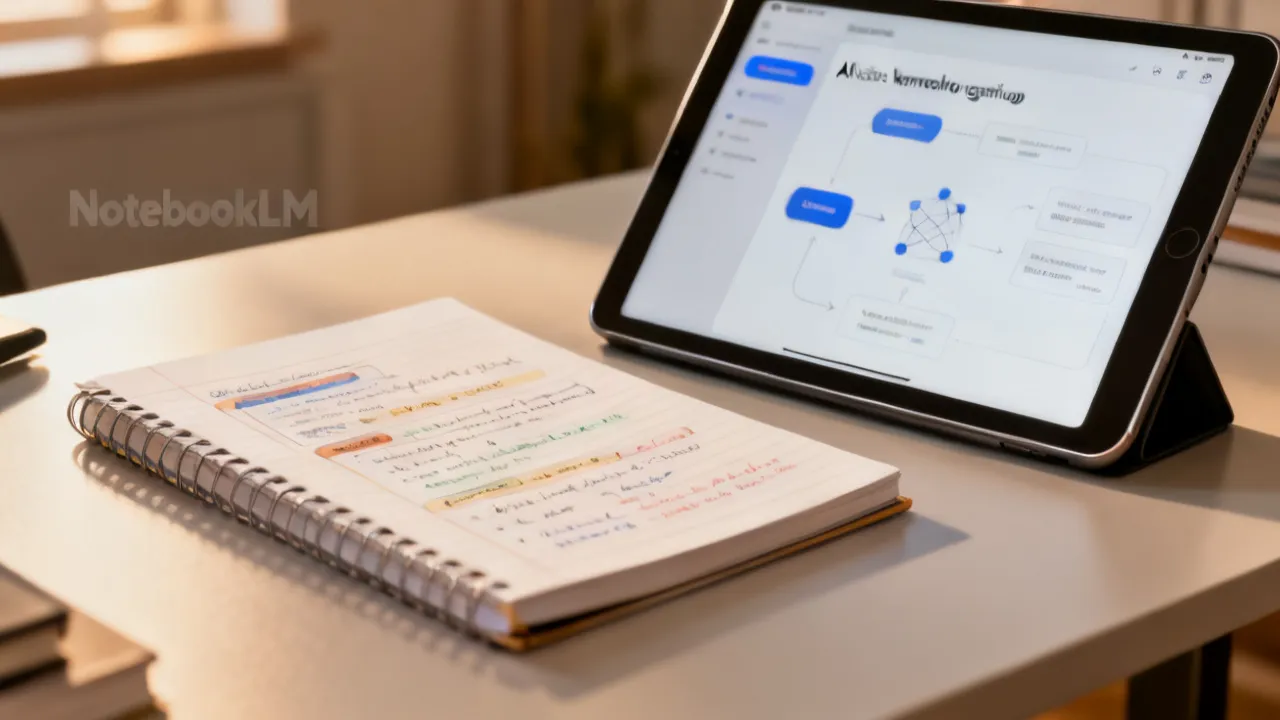
NotebookLM is increasingly discussed as a way to transform everyday reading and research notes into a more coherent, retrievable knowledge system. The core value is not just “summarization,” but building a workflow where your notes become easier to query, connect, and revisit—especially when you handle many documents, recurring topics, and good learning goals.
From an industry perspective, this approach reflects a shift in knowledge work: people no longer rely solely on filing cabinets, bookmarks, and scattered highlights. Instead, they want their materials to behave like an informed reference—structured enough to support faster recall and thoughtful synthesis, yet flexible enough to accommodate evolving understanding.
Personal knowledge work is, at its heart, the practice of turning raw inputs (reading, watching, attending, experimenting, interviewing) into usable outputs (decisions, writing, teaching, product improvements, and deeper understanding). Traditional note-taking systems often optimize for “saving” rather than “serving.” They help you keep content, but not necessarily retrieve or reason with it when you need it. NotebookLM-style workflows attempt to close that gap by making the notebook itself act as a more interactive knowledge interface.
To understand why this matters, consider what typically happens in a human brain and in most digital systems. When you read something once, it feels legible at the time. Weeks later, you remember the topic but not the precise mechanism, criteria, or wording. You might remember “there was a method that worked,” but you cannot easily reconstruct it without returning to the original source. That retrieval cost creates a practical barrier to learning and decision-making.
NotebookLM attempts to reduce that barrier by enabling query-driven navigation and synthesis over your collected notes. In the best workflows, you don’t just get faster reading; you get faster and more reliable resurfacing of the specific parts you need to answer questions. This becomes especially valuable when your work spans multiple documents: research articles, blog posts, interview transcripts, meeting notes, notebooks, and drafts. In those situations, “finding the relevant snippet” can be more expensive than generating a general explanation. NotebookLM tries to make the former cheaper.
Another reason it matters is that personal knowledge work is not only about retrieval, but also about recombination. Real learning often requires you to compare ideas, identify contradictions, incorporate new evidence, and build mental models. Tools that simply condense a document may produce a convenient summary, but they rarely create the connective tissue between fragments you have captured over time. A notebook becomes “alive” when it supports questions like: “What evidence supports this claim?” “What assumptions are hidden here?” “How does this method differ from the earlier one I wrote?” “What limitations did I note, and where?” NotebookLM-oriented workflows are designed to support these kinds of reasoning steps.
Finally, the emphasis on a “knowledge system” rather than a “faster reply” changes how you approach correctness. If the tool is treated as an interface to your own evidence, you can build habits around traceability, verification, and consistent note design. You’re not outsourcing truth; you’re accelerating the process of pulling evidence into view so you can do careful thinking.
NotebookLM is commonly used within personal knowledge management (PKM) styles that prioritize capture, structure, and retrieval. While implementations vary by product and configuration, the underlying promise usually includes:
In practical terms, NotebookLM is top understood as a “knowledge interface.” It helps you interact with your notes more like a research assistant—one that guides you through retrieval and synthesis—rather than like a simple text editor.
To make this more tangible, imagine a typical “PKM day.” You start with a question, but you don’t know where in your notes that answer might be. You open several documents, search manually, skim excerpts, and piece together an explanation. If you use NotebookLM effectively, you can invert that process. You ask: “Where did I define concept X?” “What did I say about limitations for technique Y?” “What criteria did I use to evaluate approach Z?” The system helps you retrieve relevant note sections, and then—crucially—it helps you reorganize that information into something you can use immediately.
NotebookLM can also function as a bridge between different “note granularities.” Some notes are high level (“Chapter summary,” “Key ideas”), others are detailed (“definition,” “derivation,” “example”). When the workflow is query-based, the tool can help you move between granularities: retrieve the detailed evidence first, then synthesize it into the high-level explanation you need for writing or teaching.
Another common capability is iterative refinement. Instead of writing a memo from scratch, you can draft an outline, ask for a comparison, ask for a structured list of assumptions, then request a revision plan. This iterative loop encourages structured reasoning and makes it easier to keep track of what you believe, why you believe it, and where the evidence sits inside your notebook.
Importantly, the best workflows treat these outputs as drafts or guidance. The tool can accelerate the “first pass” and reduce the time spent locating relevant passages. But your own verification and judgment remain central, especially when decisions are high stakes.
If you want NotebookLM to genuinely improve how you learn and work, focus first on these high-impact requirements.
The inverted pyramid structure here is intentional: many users begin with curiosity—“What can the tool do?”—but neglect the conditions under which its outputs become trustworthy and useful. If you don’t address those conditions, you can end up with a system that feels magical but doesn’t reliably support your goals.
Let’s unpack each of these requirements with practical detail, because they are where success and failure tend to diverge.
Quality of source notes. “Quality” here doesn’t necessarily mean perfect writing. It means that your notes should accurately reflect the ideas you want to retrieve. If your notes are vague (“This paper is interesting”), your future self won’t know what “interesting” refers to. If your notes combine observation, interpretation, and conclusion without clear boundaries, you will struggle to verify and decide. If you only keep your personal reactions and omit the actual definitions or mechanisms, the tool can’t reconstruct what you never captured.
Clear prompts and constraints. You get better results when you ask for specific formats and limited scopes. Vague prompts like “Explain this topic” often lead to generalities. Better prompts define the shape: “Create an outline with three sections: definitions, assumptions, and limitations,” or “Compare A and B using criteria: inputs, steps, failure modes, and evidence.” In other words, you reduce the degrees of freedom.
Attribution discipline. A robust workflow includes a verification mindset: identify which outputs are “drafted from notes” and which require your own checking. If you’re using the tool for professional writing, you often need traceability: which note excerpt supports which statement. Attribution discipline ensures that your work remains grounded and that you can correct misunderstandings early.
Consistency of your organization. Tools can retrieve more reliably when your notes follow predictable structures. If sometimes you use “Assumptions” as a heading and other times you bury assumptions in paragraphs, the system’s retrieval and synthesis patterns become inconsistent. A stable template—definitions, claims, evidence, limitations, examples—makes your notebook easier for both humans and models to navigate.
Privacy and governance. Any AI-assisted system raises questions about data handling. You might upload contracts, personal medical notes, unreleased strategy documents, or credentials. Even if the tool is intended for personal use, you should confirm retention policies, training use policies, logging behavior, and access control. Governance isn’t an afterthought; it’s part of designing a sustainable knowledge workflow.
NotebookLM-style tools fit into a larger category commonly discussed under document intelligence, retrieval-augmented assistance, and AI-assisted learning. Across the industry, vendors and researchers have emphasized that retrieval from user-provided sources can improve usefulness compared with purely generic generation. This aligns with established approaches in information retrieval and question answering, where systems look up relevant text and then produce responses conditioned on that evidence.
For readers who want reliable context, widely referenced academic overviews include work on retrieval-augmented generation and conversational document question answering. For practical grounding, consult reputable research venues and standards efforts in responsible AI and data governance. (Note: this guide avoids unverified performance claims and keeps the focus on workflow design.)
To make the “broader industry” perspective more concrete, consider a spectrum of AI behaviors:
NotebookLM sits most naturally in the middle and upper end of that spectrum. The value proposition is not just that the system can talk about a topic; it’s that it can talk about the topic as represented in your own notes. That difference matters when you’re learning a specialized domain, comparing competing frameworks, or maintaining consistency in your own terminology.
It’s also useful to recognize where these systems may still struggle. If your notes lack coverage, the system can only respond based on what is present. If your notes include contradictions without resolution, the system may echo conflicting ideas without a human judgment layer. If your prompts are underspecified, the model might fill gaps in ways that don’t reflect your intent. This is why the earlier “inverted pyramid” requirements remain central.
In industry discussions, another recurring theme is that these systems can change knowledge work practices. Instead of “document-centric” work (open a document and read), users shift toward “question-centric” work (ask a question and retrieve relevant evidence). That shift affects how you capture notes in the first place. Many people begin writing notes as answers to future questions, not merely as reading reflections.
Professionals adopt notebook-based, document-assisted workflows for reasons that are easy to understand:
They have real information to manage, deadlines to meet, and repeat work that consumes time (weekly status updates, recurring literature reviews, ongoing internal policies). A system that accelerates retrieval and synthesis can reduce cognitive load. It can also improve consistency: you can enforce a template for outputs so that every memo has similar sections (background, definitions, assumptions, evidence, implications).
At the same time, professionals often deal with higher stakes and stricter standards. That’s why the workflow lens is important: they typically use NotebookLM as a drafting and organizational tool, then verify and refine before publishing or deciding.
They accumulate papers, reports, and meeting notes. The challenge is not obtaining information—it’s navigating it later. NotebookLM can help by enabling question-driven retrieval and topic-specific synthesis, which supports faster literature review cycles and memo drafting.
In a research context, “later navigation” is often the bottleneck. Analysts remember that something is in “some paper,” but they don’t know which section. Even when they have a search function, manual skimming remains time-consuming. NotebookLM-like systems can reduce that by supporting queries such as:
But researchers also know that “summaries” can hide important nuance. Therefore, a common professional habit is to request structured outputs that separate claims from evidence, and then verify. For example, you might ask for a comparison table with columns like “assumptions,” “data requirements,” “strengths,” “limitations,” and “what evidence I used in my notes.” That turns the tool into a scaffolding system rather than an authority.
Another advanced use is building “concept maps” implicitly. If your notes include definitions, tagged assumptions, and example contexts, NotebookLM can help you reconstruct relationships. For instance, it can help you see which assumptions recur across different methods or which limitations appear across multiple sources.
They often work with memos, internal briefs, and externally sourced materials. A consistent note structure helps the system return relevant excerpts for “why” and “how” questions, supporting evidence-based writing.
Consulting and policy work are particularly vulnerable to scattered notes. A single engagement might include stakeholder interviews, policy documents, economic analyses, and internal reasoning. When time is limited, consultants need to produce arguments quickly, but they also need defensibility. NotebookLM can support this by:
However, professional use also demands careful governance. If you upload sensitive policy deliberations or contract terms, you want clear data handling controls. That’s not a theoretical concern—it’s a practical requirement for adopting any AI system.
In policy contexts, another important dimension is “version control of understanding.” Policies evolve, stakeholders negotiate, and rationales change. NotebookLM-style workflows can support this if your notes capture the timeline, such as “before changes,” “after changes,” and “rationale from meeting date.” Without that temporal structure, a system may mix different versions of your understanding.
They frequently revisit notes during exam prep or coursework projects. NotebookLM can support revision by turning dense content into outlines, practice prompts, and structured study guides—provided the underlying notes are well organized.
In education, the value is often in conversion between formats. Students rarely fail because they lack information; they fail because they can’t retrieve it under pressure. NotebookLM can help by generating practice prompts that reflect your own learning notes rather than a generic curriculum. For example:
Educators also benefit from consistent structure. A teacher might build a “unit notebook” for each class, containing definitions, key diagrams (described in text), worked examples, and typical student errors. When students ask questions—“Why does step three matter?” or “Where does this assumption appear?”—NotebookLM-like systems can retrieve the relevant explanation quickly.
That said, education also involves academic integrity and learning outcomes. If the tool is used as a replacement for understanding rather than a scaffolding aid, it can undermine learning. The best results usually come when learners treat the tool as a study partner: ask questions, compare outputs with their own notes, and then explain in their own words.
NotebookLM’s value rises sharply when your input notes are designed for retrieval. Think like a future reader who will not remember what you meant three months ago.
Many note systems assume that the future retrieval unit is the document itself. In other words, you save papers and rely on search. But NotebookLM often changes the retrieval unit: your notes become a set of chunks and “evidence fragments” that are pulled into context for answering queries. That shift suggests a different kind of note writing.
To expand on these, it helps to consider the typical failure modes:
Failure mode 1: notes that are “about your experience,” not about the content. If your notes say, “This was confusing,” but you never wrote down what was confusing or which concept caused the problem, retrieval becomes impossible. A future version of you needs the missing detail, not only the emotional memory.
Failure mode 2: notes that are “summary paragraphs” without a query surface. A long summary might be readable, but it’s hard to query. If you instead structure the notes with headings and bullet points aligned to likely questions, the retrieval system can match query terms more accurately.
Failure mode 3: notes that intermix sources and interpretations. If you include a quote and then immediately add your interpretation without separating them, the tool might treat your interpretation as evidence. Separating them helps both verification and reasoning.
Failure mode 4: inconsistent tagging or inconsistent terminology. If you sometimes tag “limitations” and other times tag “downside,” retrieval results become less consistent. It’s not that the tool can’t understand synonyms; it’s that you want your own system to be stable over time. Stability improves predictability.
In practice, good note design for NotebookLM often looks like a “minimum viable evidence package.” For each important concept, you create a small bundle: definition + claim(s) + evidence + examples + limitations. When you do that repeatedly, the notebook becomes a database of reasoning units rather than a pile of text.
You can also design for comparisons. If you frequently ask “A vs. B,” ensure both are documented with the same categories. For example, you can create a template:
Now when you prompt NotebookLM, you can request a comparison table that uses those same categories, making it much easier to verify and reuse.
Another helpful technique is to include “question stems” inside the note. For instance, a note section might end with:
This makes the retrieval surface more explicit and turns your notes into a more interactive knowledge base.
The very reliable NotebookLM workflows emphasize specification. You guide the system toward outputs you can validate and reuse.
Prompting is not only about asking the model to do something; it’s about specifying the structure of thinking. In knowledge work, structure is what allows you to compare outputs, verify claims, and maintain consistency across sessions.
Consider using prompts that request:
This approach mirrors top practices from information science and responsible automation: constrain the system to your evidence base and make missing information explicit.
One effective prompting pattern is the “locate → synthesize → verify” sequence. Instead of asking for the final memo immediately, you first locate relevant note sections. Then you synthesize them into an output. Finally, you verify high-impact points. This reduces the chance that the model will produce something plausible-but-wrong, because you force it to anchor in retrieved evidence.
For example, you might prompt in three phases:
This pattern turns prompting into a disciplined workflow rather than a one-shot interaction.
Another useful practice is to request outputs designed for downstream tasks. If your goal is to write a paper, you might ask for:
If your goal is to prepare for a meeting, you might ask for:
By designing outputs for your real tasks, you reduce the gap between “AI reply” and “usable work artifact.”
Finally, don’t underestimate the value of “negative constraints.” Prompts that explicitly prohibit behavior can prevent common failure modes. For instance:
Such constraints may sound strict, but they often improve trust and reduce cleanup work later.
You may encounter discussions online that mention price information, supplier details, and location-specific availability for tools like NotebookLM. However, because no verified pricing, supplier identity, or locality details were provided in the request, this guide does not assert specific numbers or vendors. For accurate purchase decisions, check the official product page and documented licensing terms from the provider or your organization’s procurement channel.
In general, software pricing can depend on plan type, team features, billing cycles, and data handling options. Supplier details can also vary—individual accounts vs. enterprise deployments often differ in governance controls.
It is also worth noting that cost is not only about subscription fees. When you evaluate a knowledge workflow tool, you might also consider:
Even if two tools have similar subscription costs, the one that integrates more smoothly with your note ecosystem and governance requirements may be cheaper overall. Conversely, a low-cost option that requires heavy manual verification and cleanup might cost more in time and risk.
Because the request asks for objectivity, the best practice is to treat commercial details as something to validate directly with authoritative sources (provider documentation, licensing terms, procurement policies) rather than relying on indirect references.
The items below are meant as a supplement to the main narrative. They are presented without external links and without asserting uncertain commercial specifics.
| Dimension | What to Check | Why It Matters for NotebookLM |
|---|---|---|
| Source quality | Clarity, completeness, and whether notes reflect original materials | Improves accuracy and reduces hallucination risk by grounding responses in your content |
| Workflow fit | Whether your use case is retrieval + synthesis (not just generation) | NotebookLM-style tools perform top when you ask targeted questions against your notes |
| Data governance | Storage, retention, sharing controls, and permission models | Protects sensitive work and supports compliance expectations |
| Output format | Whether the system can produce outlines, comparisons, and checklists reliably | Structured outputs support verification and easier reuse in documents |
| Verification steps | Process to cross-check key claims in your original notes | Maintains scholarly and professional rigor |
NotebookLM belongs to the broader family of AI systems that assist with document understanding and question answering over user-provided materials. For conceptual background, readers can consult peer-reviewed literature on retrieval-augmented generation and document-based question answering, alongside organizational guidance from responsible AI and information governance bodies.
It’s helpful to think of these references not as “proof that a tool works,” but as evidence of why retrieval grounding and structured workflows often perform better than generic generation. In other words, the industry direction supports the practice of connecting outputs to evidence and designing prompts that constrain behavior.
Use the following workflow to get consistent results from NotebookLM-like systems.
Because most users struggle not with the “first query,” but with making the workflow repeatable, it helps to expand this into a more detailed operational routine. Below is an expanded approach that you can follow across weeks or projects.
To turn your notebook into a durable knowledge system, you need to operationalize three things: (1) ingestion, (2) retrieval, and (3) synthesis/production. Each of these stages benefits from its own templates and habits.
Ingestion doesn’t mean dumping files; it means organizing the raw inputs into note units that correspond to likely questions. When you read a source, you can ask: what questions will future me have about this?
Common ingestion templates include:
When you ingest new material, consider also adding “link points” between documents. For example, you might add a short section titled “Related to: X method” and then briefly state the connection in your own words. This helps the notebook become a map of relationships, not just a collection of summaries.
Retrieval works best when your questions align with your note structure. This is one of the hidden lessons of effective prompting. If your notes are organized by categories (definitions, assumptions, limitations), then retrieval prompts should mention those categories.
Examples of retrieval prompts that align with structured notes:
If retrieval results are weak, don’t immediately blame the tool. Often the underlying issue is note design: you may have the information, but it’s not in a query-friendly form, or you used terminology inconsistently. Fixing note structure can yield bigger improvements than changing prompts.
When you ask for synthesis, request formats that reflect verification and reuse. Instead of “Explain,” ask for “Explain with citations to my notes,” or “Explain using only these sections.” The goal is to convert retrieved evidence into a coherent artifact that you can later refine.
Useful synthesis formats include:
For learning, synthesis outputs also enable spaced repetition. If you generate a consistent set of study questions each time you revisit a theme, you can reuse those prompts over time. The system becomes a “question generator” based on your own evidence.
The final step is production: turning the synthesized artifacts into something you actually do. For professionals, that might be a memo, a slide deck outline, a decision proposal, or a technical report. For students, it might be a practice quiz, a revision guide, or a project plan.
When you treat NotebookLM outputs as drafts, you preserve correctness and creativity. Drafts accelerate writing, but you remain accountable for final claims. A disciplined workflow includes:
Knowledge work is iterative. You update your understanding over time. Your notebook should evolve too. Maintenance includes:
This maintenance step is crucial for avoiding silent drift. Without it, a notebook can become a conflicting archive where older summaries contradict newer insights. NotebookLM can retrieve both, but it cannot decide which one to trust without your guidance.
It’s also useful to add a practical “operational requirement” that many people overlook: timeboxing. If you spend hours refining prompts and templates, you might not actually benefit because you aren’t using the system to produce work. A sustainable workflow sets a budget for iteration: small improvements, frequent use, and periodic audits of quality.
Another operational requirement is “scale management.” If you try to ingest everything at once—every document, every topic—your notebook becomes less coherent. Instead, build thematic packets. A packet could be a course module, a research theme, or a single client project. This makes retrieval more focused and synthesis more accurate.
A third requirement is “evaluation.” Just like any system you rely on, you should periodically check whether it’s producing correct results. Evaluation can be informal: pick a few claims you know are in your notes and see if the tool points you to the right sections. If it doesn’t, adjust note structure and prompting constraints.
Many users try NotebookLM without adjusting their input habits. The result is often frustration—not because the tool fails, but because the workflow isn’t aligned with evidence-based knowledge creation.
Most pitfalls fall into one of three categories: (1) mismatched expectations, (2) weak note design, or (3) insufficient prompting discipline. If you diagnose which category you’re in, you can fix the root cause rather than repeatedly changing tools.
Let’s add additional pitfalls that commonly appear in real-world adoption.
Pitfall: Treating the system as a citation engine. Many tools can produce traces, but you should still treat citations as something to verify. In academic or legal contexts, you may need to cite the original source, not only your notes. A safe stance is: use NotebookLM to navigate your notes; then verify primary sources for final citations.
Pitfall: Not designing for uncertainty. If you never prompt the system to flag missing information, you might receive confident explanations even when your notes don’t support them. The remedy is to include explicit instructions such as “If not found in my notes, say not found,” and to structure outputs with “supported vs not found” sections.
Pitfall: Ignoring temporal structure. If your notes include evolving versions of your understanding, retrieval may surface contradictions. Experts often include date stamps, version tags, or “updated on” sections to help the system (and you) interpret relevance. Even a simple “(updated 2026-09)” marker can help manage drift.
Pitfall: Overstuffing a notebook packet. Ingesting too many unrelated materials into a single packet can dilute retrieval. The system might retrieve irrelevant sections because the topical match is ambiguous. Instead, keep packets thematic and create separate notebooks or folders for distinct topics.
Pitfall: Not building a feedback loop. A strong workflow includes improvement cycles. When the system fails to retrieve what you expected, record why: Was the note structure inconsistent? Was the terminology different? Was the relevant content missing? Experts treat those failures as signals to adjust their note design and prompting strategy.
NotebookLM is commonly used to support personal knowledge workflows—especially reading and research—by enabling structured question answering and synthesis over your own notebook or document content.
In practice, it can support tasks like turning dense readings into outlines, locating definitions and assumptions, comparing frameworks, drafting study guides, and helping produce structured writing outputs grounded in your notes.
No. In very robust workflows, taking well-structured notes remains essential. NotebookLM typically improves retrieval and consolidation, but it cannot compensate for missing or poorly organized source material.
If your notes are minimal or too vague, the tool can only operate on what you provide. The benefit is greatest when you capture evidence-oriented notes: definitions, key claims, context, assumptions, limitations, and examples.
Use evidence-based prompting: ask for outputs grounded in your notes, request traceability to specific note sections, and verify key claims directly in your source materials.
Additionally, adopt a habit of treating outputs as drafts. For claims that matter, cross-check them. For uncertainty, ask the tool to explicitly indicate what it could not find in your notes.
It can be useful as a drafting, outlining, and retrieval assistant. However, academic rigor and professional standards require human review, especially for citations, factual claims, and decision-relevant statements.
Many professionals find it best as a “workflow accelerator” that helps them organize evidence and iterate on structure, while they retain responsibility for final verification.
Use consistent headings and “question-first” topics, separate definitions from interpretations, capture key evidence snippets, and maintain a stable tagging or categorization approach.
If you frequently compare ideas, build both ideas using the same categories so comparisons remain straightforward and verifiable.
Pricing and supplier arrangements can vary by plan type, organization, and procurement policy. Since this article does not provide verified location-specific commercial details, you should confirm pricing, licensing, and governance terms directly with the provider or your organization’s procurement team.
Also remember that governance features (retention controls, admin policies, access logging) may influence which plan is appropriate for your environment.
Ensure you have the right to store and process the documents you upload, confirm data handling and retention settings, and apply a verification step for critical outputs.
For teams or organizations, ensure roles and permissions align with internal policy, and that you understand where files and derived data are stored.
NotebookLM can be a strong addition to a personal knowledge workflow when used as a structured retrieval and synthesis tool. Its value is maximized by thoughtful note design, constrained prompting, and disciplined verification. Rather than chasing speed alone, aim for consistency: capture evidence clearly, ask targeted questions, and convert outputs into reusable study or work artifacts.
In this way, NotebookLM becomes more than an assistant—it becomes part of a durable system for learning, research, and professional writing.
When you build that system, you gain compounding benefits. Each new reading doesn’t just add more information; it adds more queryable structure. Each synthesis doesn’t just produce a one-off answer; it creates templates and artifacts you can reuse. Over time, the gap between “knowledge captured” and “knowledge usable” narrows. That is why NotebookLM matters: it encourages you to transform your notebook from an archive into an interface for thinking.
If you adopt the inverted pyramid approach—start with note quality, prompt constraints, attribution discipline, organizational consistency, and governance—you create a workflow that is both efficient and trustworthy. That’s the foundation of sustainable personal knowledge work with NotebookLM-like systems.
Striking the Perfect Balance: Navigating Premiums and Out-of-Pocket Expenses in Senior Insurance Plans

Explore the Tranquil Bliss of Idyllic Rural Retreats

How to Make Lasting Memories at Disneyland Attractions

4rkojvsx Technology: Industry Insights and Buying Guide

Affordable Phones and Plans for Seniors

Affordable Full Mouth Dental Implants Near You

Unlock the Top Kept Secrets to Finding Your Ideal Dentist for Flawless Dental Implant Results!

Discovering Springdale Estates

Unveiling RS Sul Telecom Services


Understanding Lato Sensu Education
Lato Sensu is a term used to describe a type of specialized education, typically in the context of postgraduate studies. It emphasizes a flexible, broad approach to learning compared to more narrowly defined courses. This article delves into the significance, scope, and benefits of Lato Sensu programs, particularly how they cater to professionals seeking career advancement.

Unlocking the Secrets of Wizard Lessons
Wizard Lessons offer a glimpse into the mystical world of magic, providing structured learning experiences for aspiring wizards. These lessons cover various aspects of magic, from spell casting to potion making, and are deeply rooted in both tradition and evolving magical practices. Aspiring wizards can delve into these teachings to enhance their magical prowess and understanding of the enchanted arts.

Understanding Lato Sensu Courses
Lato Sensu refers to postgraduate courses offering specialized education, often linked to practical experiences and professional enhancement. These programs emphasize advanced learning tailored to students' chosen fields, with flexible formats to accommodate diverse educational goals and local contexts. This article explores the significance, structure, and advantages of Lato Sensu programs for aspiring professionals.

Understanding Lato Sensu Education Courses
Lato sensu education courses are specialized postgraduate programs offering practical skills and knowledge in specific fields. Distinct from stricto sensu programs focusing on academic research, lato sensu courses are typically shorter and professionally oriented, making them attractive to those seeking career enhancement. This article delves into the intricacies of lato sensu education, exploring its benefits, structure, and global perspective.

Didática Univesp: A Practical Guide for Learners
This guide explains Didática Univesp and how its didactic approach supports distance learning. It offers objective background on what the term implies in Brazilian e-learning contexts, including common instructional design elements, learner support practices, and typical enrollment workflows. You’ll also find a structured comparison and requirements, plus expert insights and FAQs.
Practical Guide to Espm Ead in Procurement
This guide explains how Espm Ead can support structured procurement decisions, from evaluating requirements to confirming supplier fit and documentation clarity. Objectively, “Espm Ead” is used as a procurement-related shorthand in industry discussions, often linked to cross-compatibility, compliance-ready documentation, and process alignment across parties.
